


Multi-Currency & FX
Invoice, pay and bank in other currencies. Officaid keeps the SGD side right.
Add the currencies you trade in, and every invoice, bill and payment carries its own exchange rate from MAS or Officaid Rates. When the bank's rate differs, the gain or loss is booked for you, open items are revalued at each month end, and the Foreign exchange tax schedule is ready for your tax agent.
Start free trial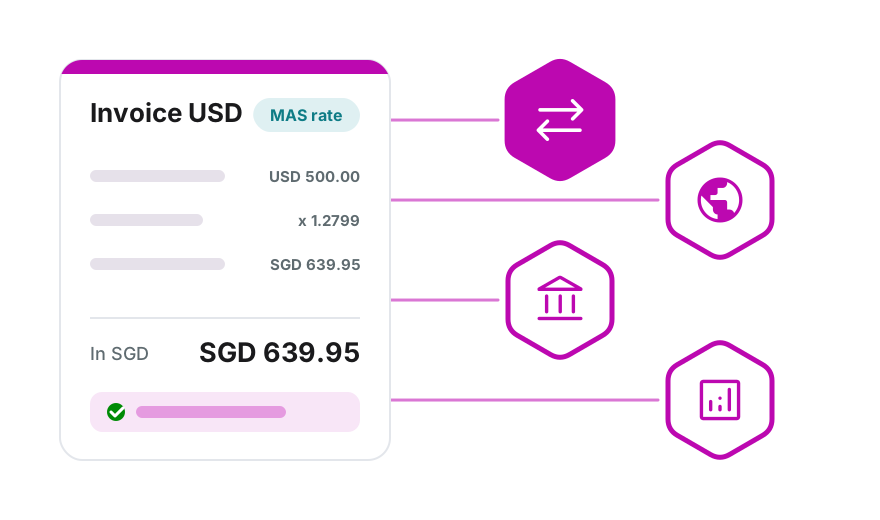
Your currencies and your rate source
Add an operating currency and it is ready on invoices, bills, expenses and accounts.
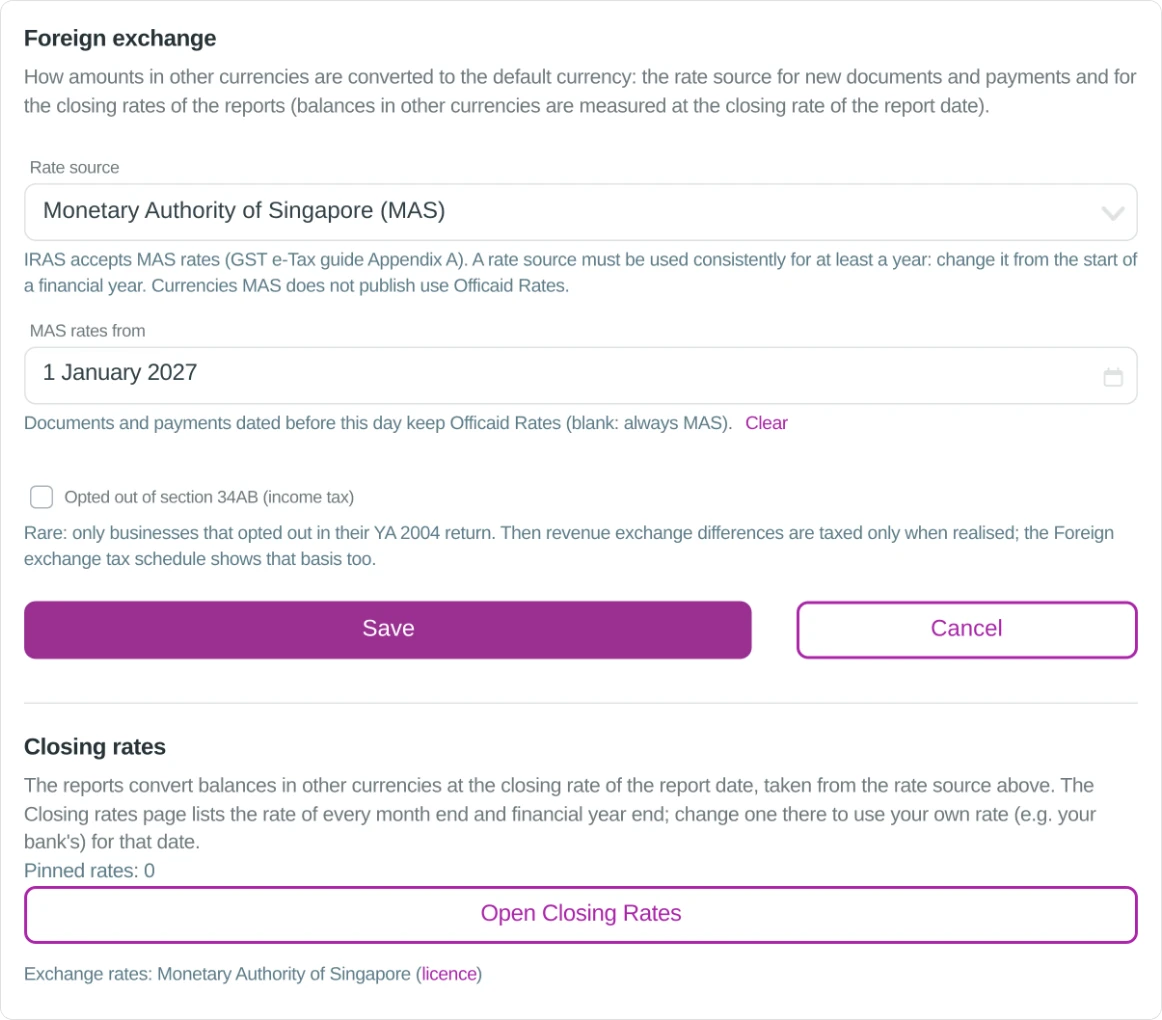
Your default currency stays SGD for every report. Add USD or any other currency you deal in from Admin → Company → Edit Currencies.
Then choose where rates come from: the Monetary Authority of Singapore (MAS), whose rates IRAS accepts, or Officaid Rates for currencies MAS does not publish.
A fixed rate on every document
Each invoice and bill keeps its rate, so its SGD value does not drift while it is unpaid.
An invoice fixes its rate when it is approved and a bill when it is saved. A USD tax invoice also shows the rate, the GST and the total in SGD.
- Invoices, bills, expenses and other income in foreign currencies
- Staff claims in foreign currencies, reimbursed in SGD
- Bank and cash accounts in their own currency
- Transfers between currencies with the amount received, as on the bank statement
Paid at the bank's rate: the difference is booked
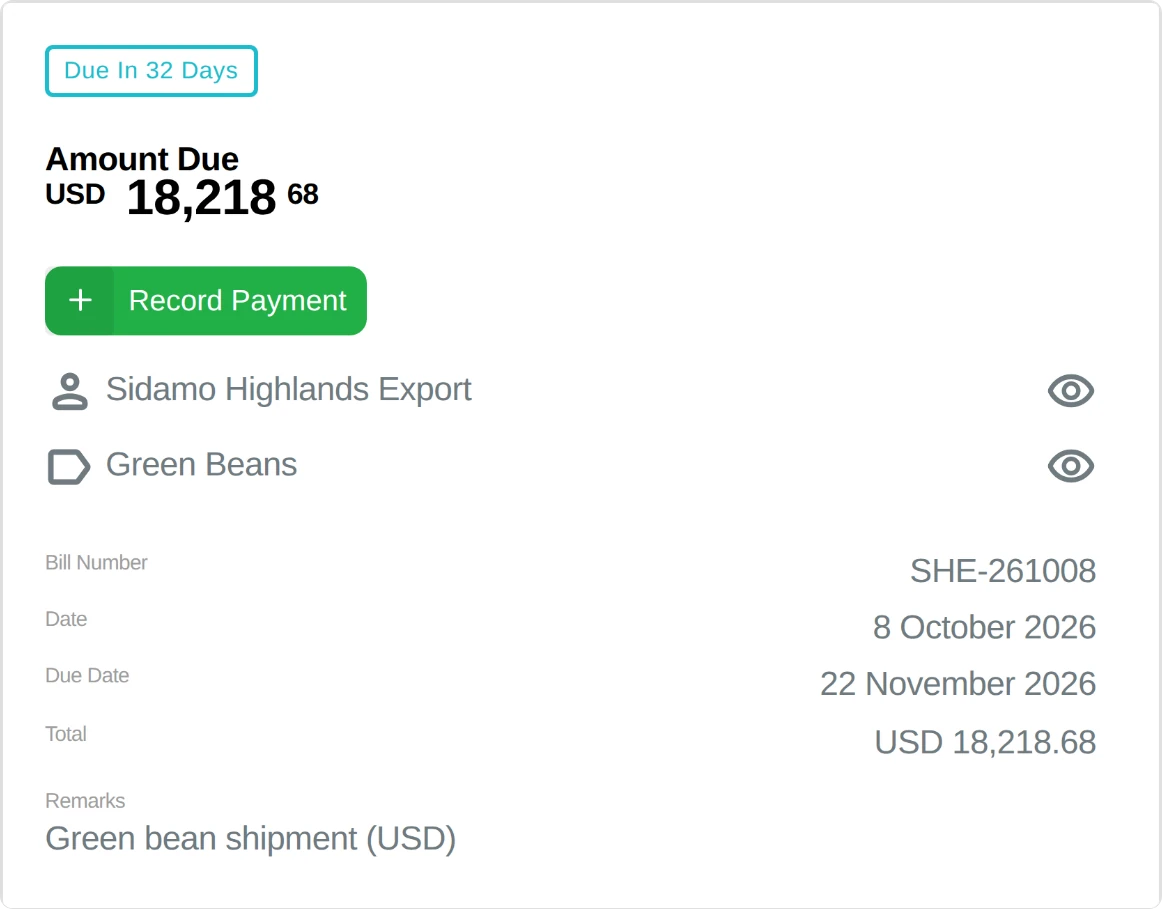
Enter what the bank actually paid or charged; Officaid books the realised gain or loss.
Record Payment fills in the document's rate. Type the bank's rate, or the SGD amount on your statement, and the payment activity shows the result, for example:
Every gain and loss sits in your Profit & Loss under Foreign exchange gain/loss. Click the line to see each payment and revaluation behind the figure.
Month-end revaluation and closing rates
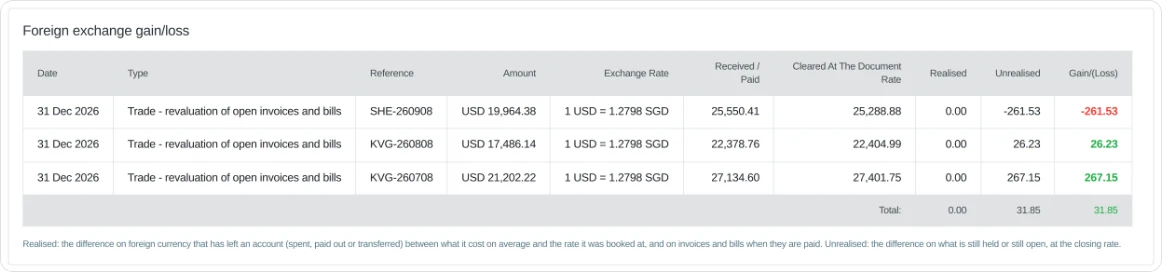
Open invoices, bills and foreign balances are revalued at the closing rate of each report date.
The difference shows as an unrealised gain or loss, and the Cash Flow statement shows the effect of exchange rate changes on cash.
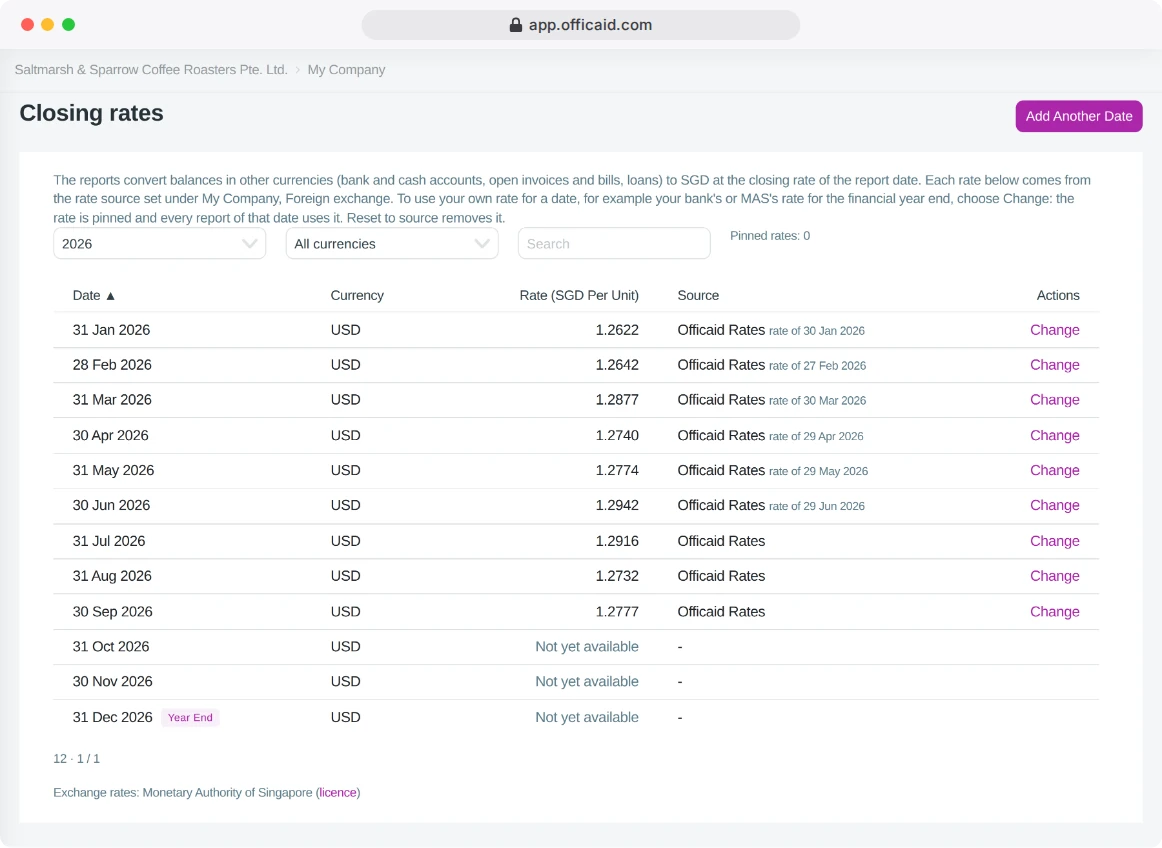
The Closing rates page lists the month-end rate behind every report. Pin your own, such as your bank's year-end rate, and every report for that date uses it; the change is recorded in the Audit Log.
Open bills, revalued
The Foreign exchange gain/loss detail: each open USD bill at the closing rate.
The rate behind every report
Closing rates: each month end, its rate and where the rate came from.
Exchange differences, ready for your tax agent
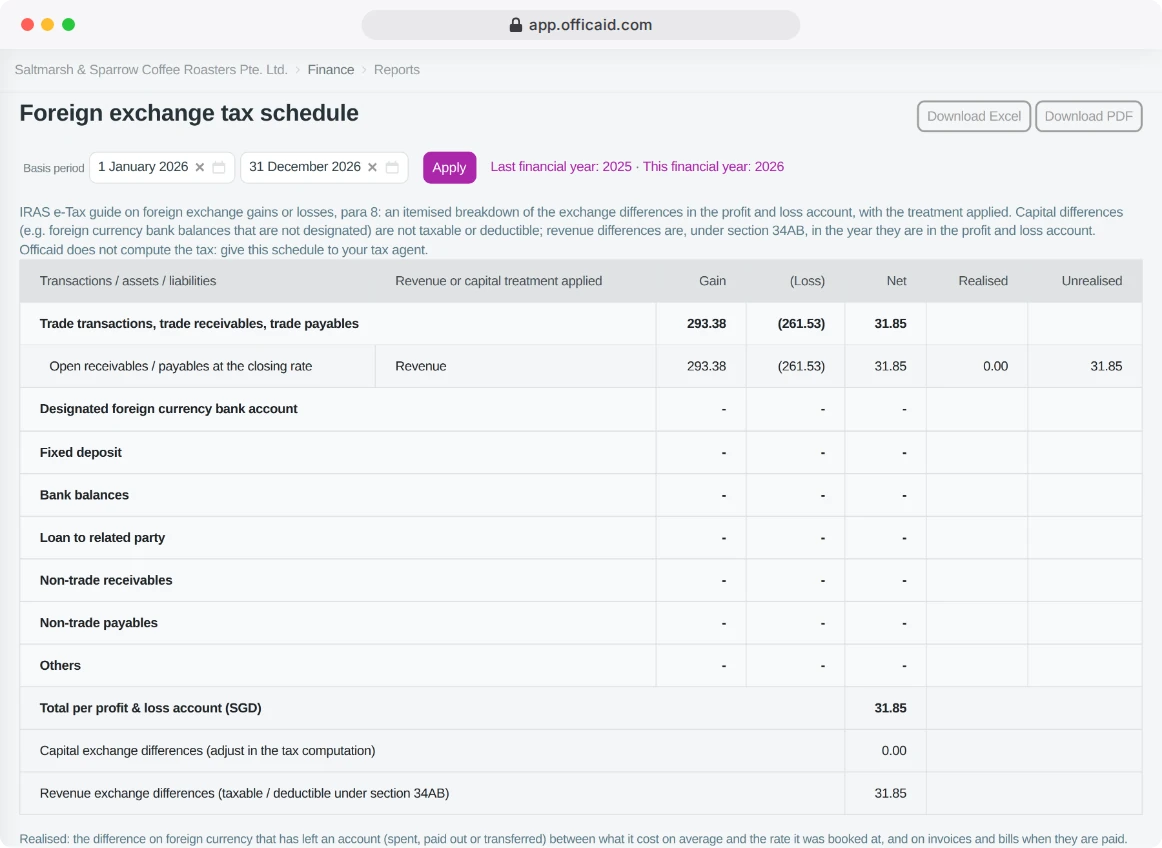
The Foreign exchange tax schedule splits your gains and losses the way the IRAS e-Tax guide sets out.
Trade items settled in the year and still open, bank balances and the other categories, each marked revenue or capital, with a total that matches your Profit & Loss. Download it as Excel or PDF.
Officaid does not compute your tax: it gives your tax agent the figures, ready to use.
Trade across borders, keep the books in SGD
Invoices, bills, payments and accounts in the currencies you use, with the exchange differences booked and explained.
Start free trialNo credit card required · 14-Day free trial