

Recording the SME Cash Grant 2026
IRAS is paying the SME Cash Grant 2026 (SMECG) to eligible Singapore businesses from 2 Nov 2026, by GIRO or PayNow Corporate, straight into the business bank account. No application is needed. The amount depends on your business: companies receive SGD 500 for each local qualifying employee, up to SGD 2,500, so check your own IRAS letter for your figure.
The grant is money in that did not come from an invoice, so it belongs under Other Income. The quickest way to record it is from the bank statement itself: one step records the income and reconciles the bank line.
Before You Begin
- A business bank account in Officaid with Enable Reconciliation switched on
- Your bank statement (CSV or Excel) that shows the grant credit from IRAS
Record and Reconcile It in One Step
- 1 Go to Finance → Accounts and open the bank account that received the grant
- 2 On the Transactions tab, click + Upload Transactions, choose your statement, check the column matches and click Add Data
- 3 Open the Reconcile tab and click Next until the grant line from IRAS shows on the left
- 4 The grant has no record in Officaid yet, so the Classify tab opens by itself
- 5 In Category, click + Add New and add a category named Government Grants (you only do this once; next time pick it from the list)
- 6 Leave Tax at Non-Taxable. Non-Taxable here means no GST (a government grant is outside GST). The grant is still income for income tax; see It Is Taxable below
- 7 In Classification Remarks, write SME Cash Grant 2026 (IRAS)
- 8 Click Add
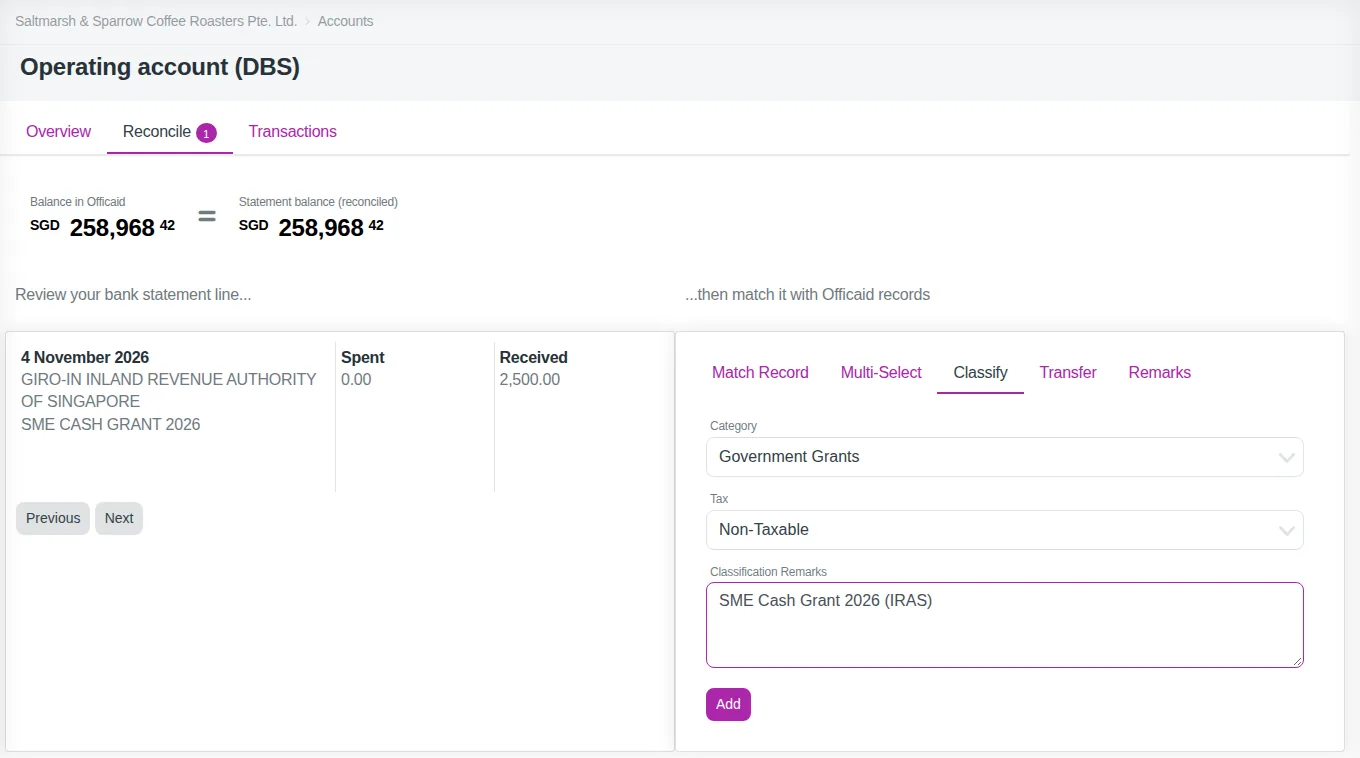
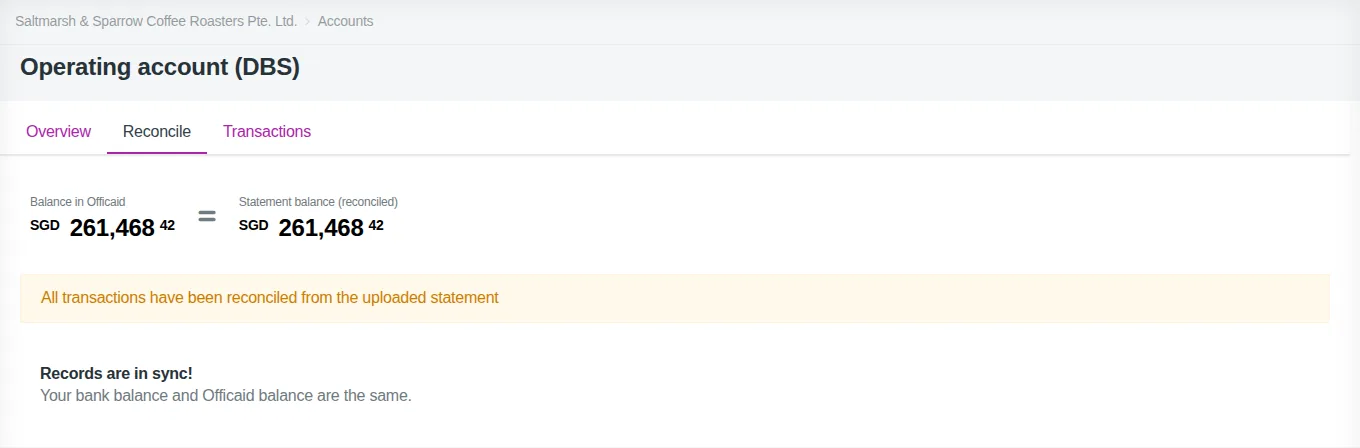
Officaid creates an Other Income record under Government Grants, dated the day of the bank line, and marks the line as reconciled. Your balance in Officaid rises by the grant amount.
Recorded It Already?
If you recorded the grant first under Finance → Income → Other (Category Government Grants, the same amount and date), upload the statement as above. On the Reconcile tab the IRAS line shows 1 Match: click Accept.
It Is Taxable
The grant shows under Other Income on your Profit & Loss (P&L) for the year, and its own category keeps it easy to find for your tax return.
Did Not Receive It?
Check your eligibility with the SME Cash Grant 2026 Eligibility Checker on the myTax Portal. If you believe you qualify, IRAS takes appeals at go.gov.sg/smecgappeal from 2 Nov 2026 to 7 Jan 2027.
Received It but Not Eligible?
If you find that your business does not meet the eligibility criteria, your IRAS letter asks you to tell IRAS within 2 weeks of the letter's date at go.gov.sg/AskSMECG.